Add, rename and delete pages
Your site can have up to 50 pages. New pages are added to your menu for you.
Click the page name at the top left (for example Home, with a small arrow) to see your pages and switch between them.
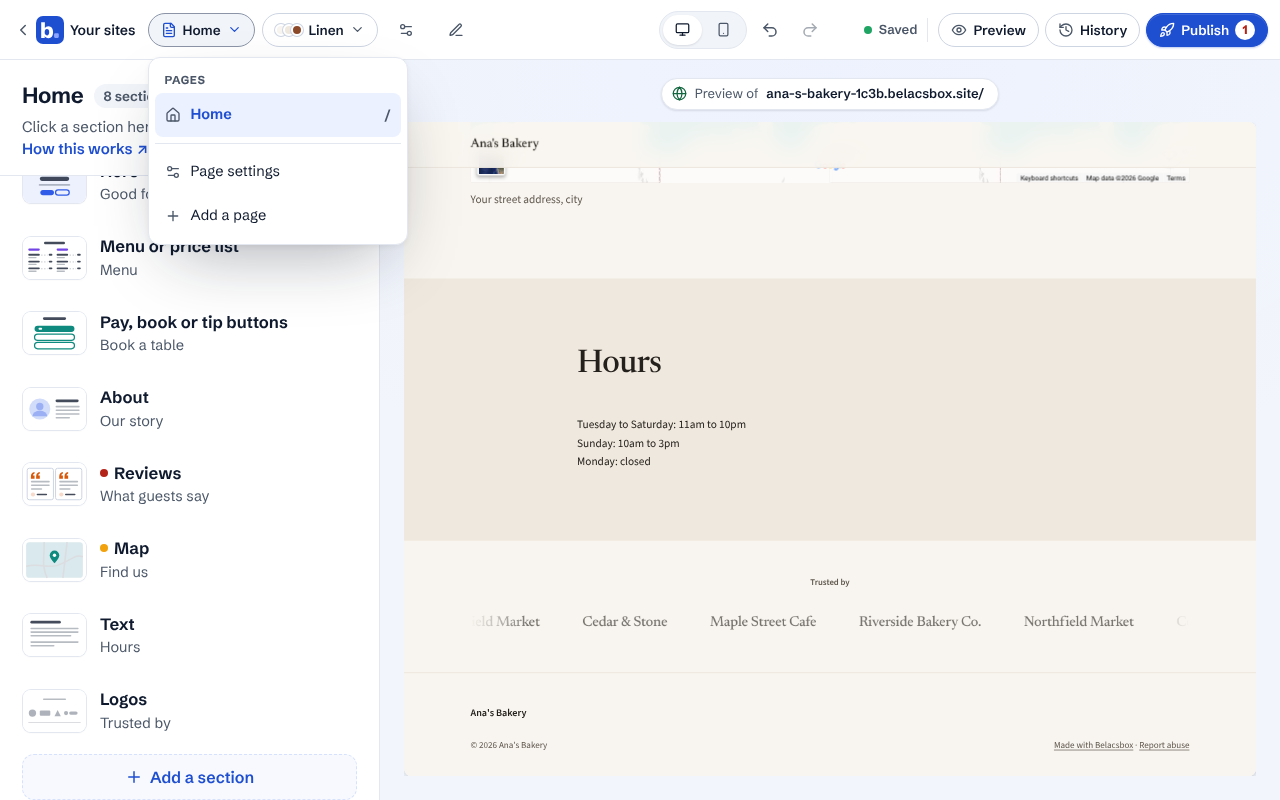
Click Add a page. It appears in the list and in your site's menu.
To rename it or change its address, open the page, then click Page settings in the same menu.
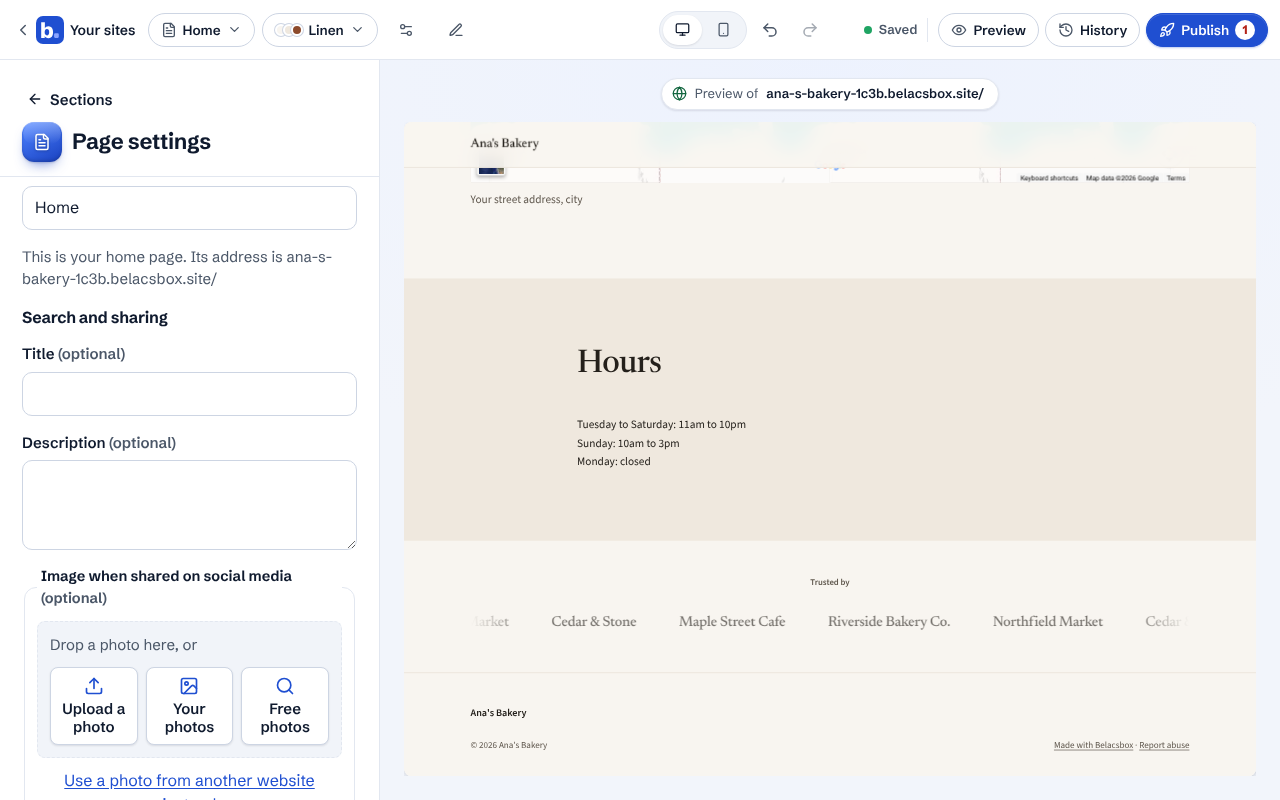
Search and sharing sets how the page shows in Google and when shared on social media. Leave it empty and we use the page's own words.
To delete a page, open Page settings and click Delete this page. Your home page can't be deleted.