Collect, see and download email sign-ups
Add an Email sign-up section; everyone who signs up is kept in your list with proof they agreed.
In the editor, click Add a section, then Email sign-up. Edit its heading and the consent box wording if you like.
To see who signed up, open Site settings and click Email sign-ups.
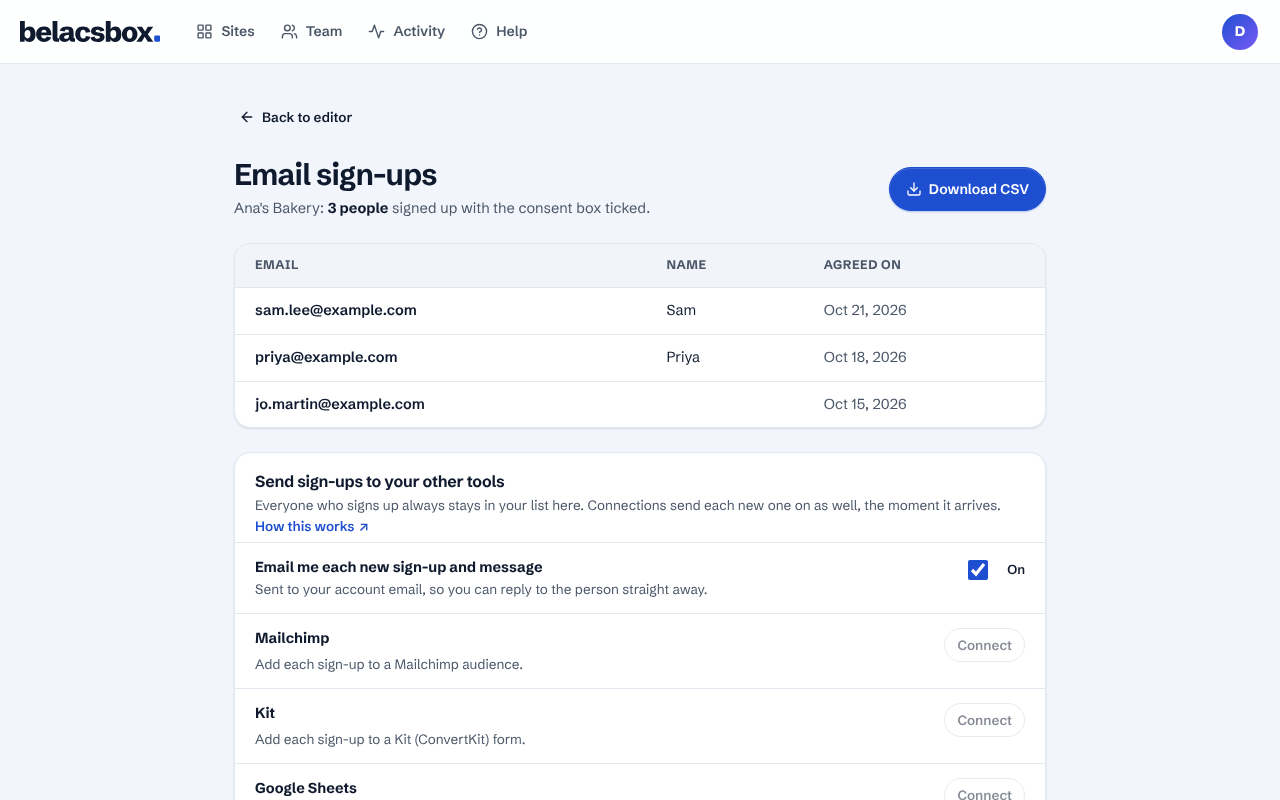
Click Download CSV to open the list in a spreadsheet or import it into your email tool. To send each new sign-up to Mailchimp, Kit, Google Sheets or Zapier automatically, connect it below the list.
Good to know
- The CSV includes the exact wording each person agreed to and when. Keep it as your proof of consent under Canada's anti-spam law.
- Only the account owner can see sign-ups: they are your visitors' personal information.