Send sign-ups to Mailchimp, Kit, Google Sheets or Zapier
Every sign-up stays in your list here, and can also go to your own tools the moment it arrives. Every plan includes it.
Open Site settings, click Email sign-ups, and scroll to Send sign-ups to your other tools.
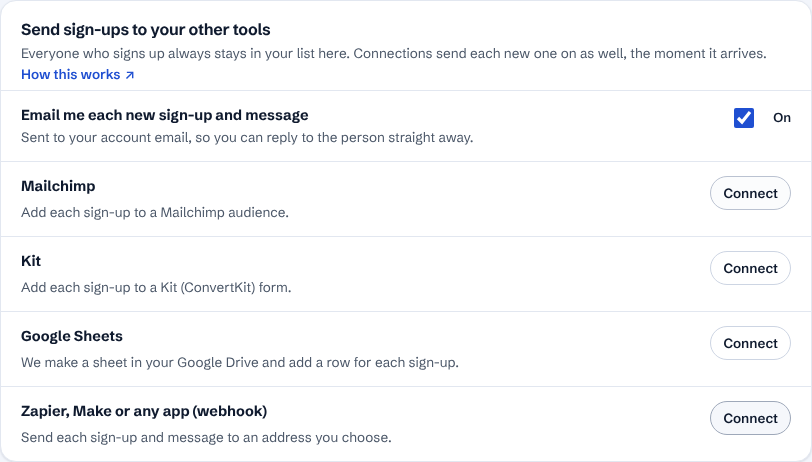
Email alerts are on from the start: you get an email for each new sign-up and message, and can reply straight to the person. Untick the box to turn them off.
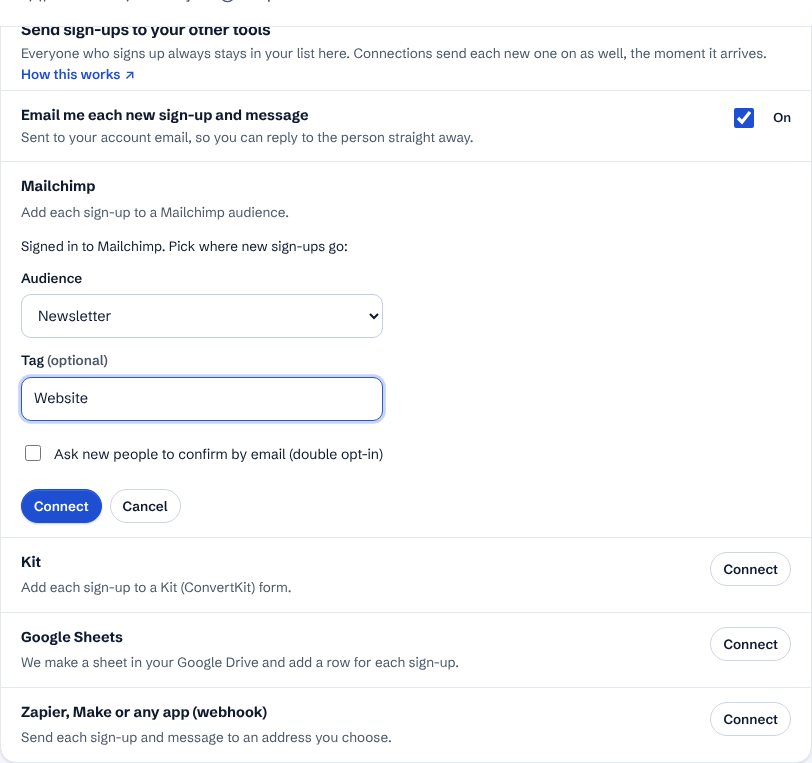
Mailchimp or Kit: click Connect, sign in to Mailchimp or Kit and click Allow. You come back here: pick the audience (Mailchimp) or form (Kit) and, if you like, a tag, then click Connect. No keys to copy.
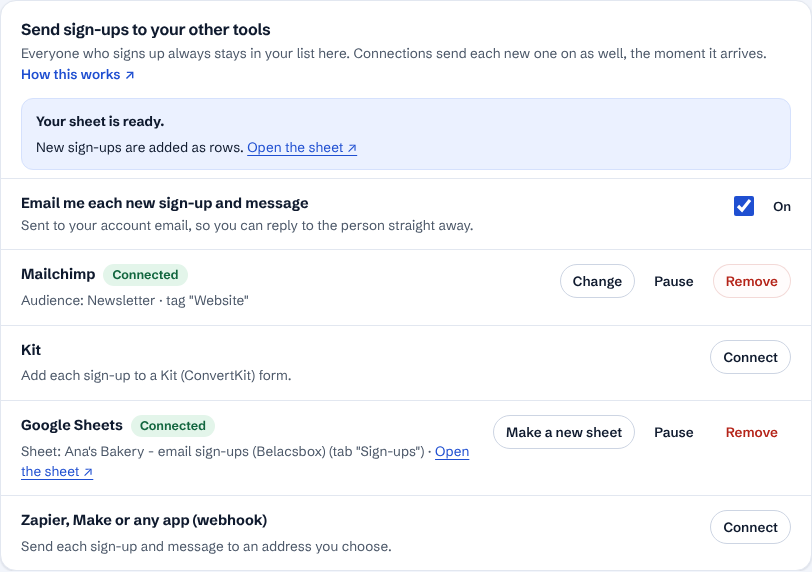
Google Sheets: click Connect, choose your Google account and click Allow. We make a new sheet in your Google Drive with the column headings and add a row for each sign-up. Click Open the sheet to see it.
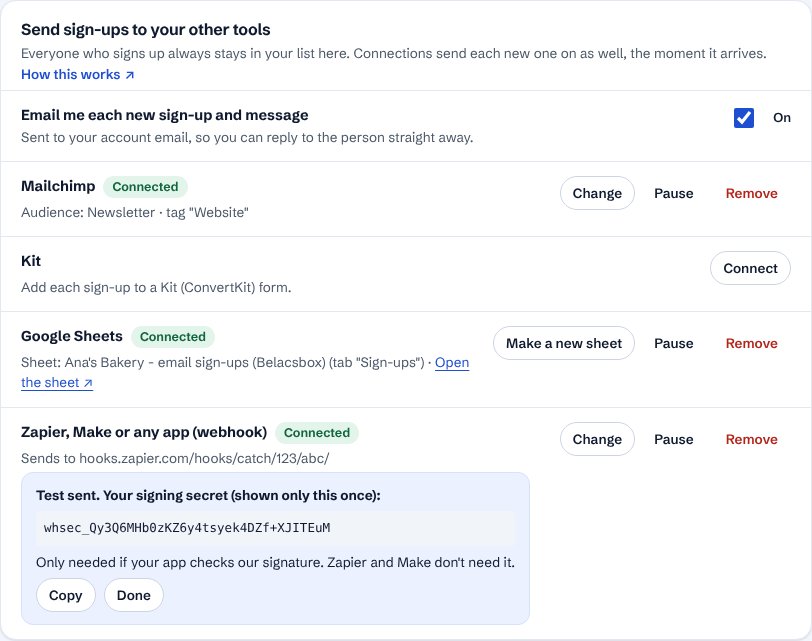
Zapier, Make or any other app: in Zapier pick the trigger Webhooks by Zapier, Catch Hook (a paid Zapier plan; in Make: Custom webhook, any plan), copy its address, paste it here and click Send a test and connect. The test shows up in Zapier or Make right away.
If a connection stops working (for example you removed our access in Mailchimp), it shows Not working with the reason, and we email you. Nothing is lost: the sign-ups wait and go out as soon as you click Connect again.

- We never see your Mailchimp, Kit or Google password: you sign in on their own page, and can remove our access there at any time. Pause stops sending without removing the connection; Remove deletes it. Your list here is never affected.
- Google Sheets: we can only open the sheet we made for you, nothing else in your Drive.
- Contact messages go to your email alerts and your webhook only, never to an email list: people only join a list when they ticked the box to agree.
- Mailchimp: tick "Ask new people to confirm by email" if you want Mailchimp's confirmation email. Someone who unsubscribed before is never added back.
- Webhooks are signed (Standard Webhooks). The signing secret is shown once, when you connect; Zapier and Make don't need it.