Add pay, book or tip buttons
Send visitors to your own Stripe, PayPal, Square, Calendly or other link to pay, book or tip. Belacsbox takes no cut.
Make the link first in the service you use, for example a Stripe or PayPal payment link, or your Calendly booking page.
In the editor, click Add a section, then Pay, book or tip buttons.
For each button, pick a type (Pay, Buy, Tip, Donate, Book, or Link to any page), write its label and paste your link. Add a small note if you like, such as "Opens Stripe".
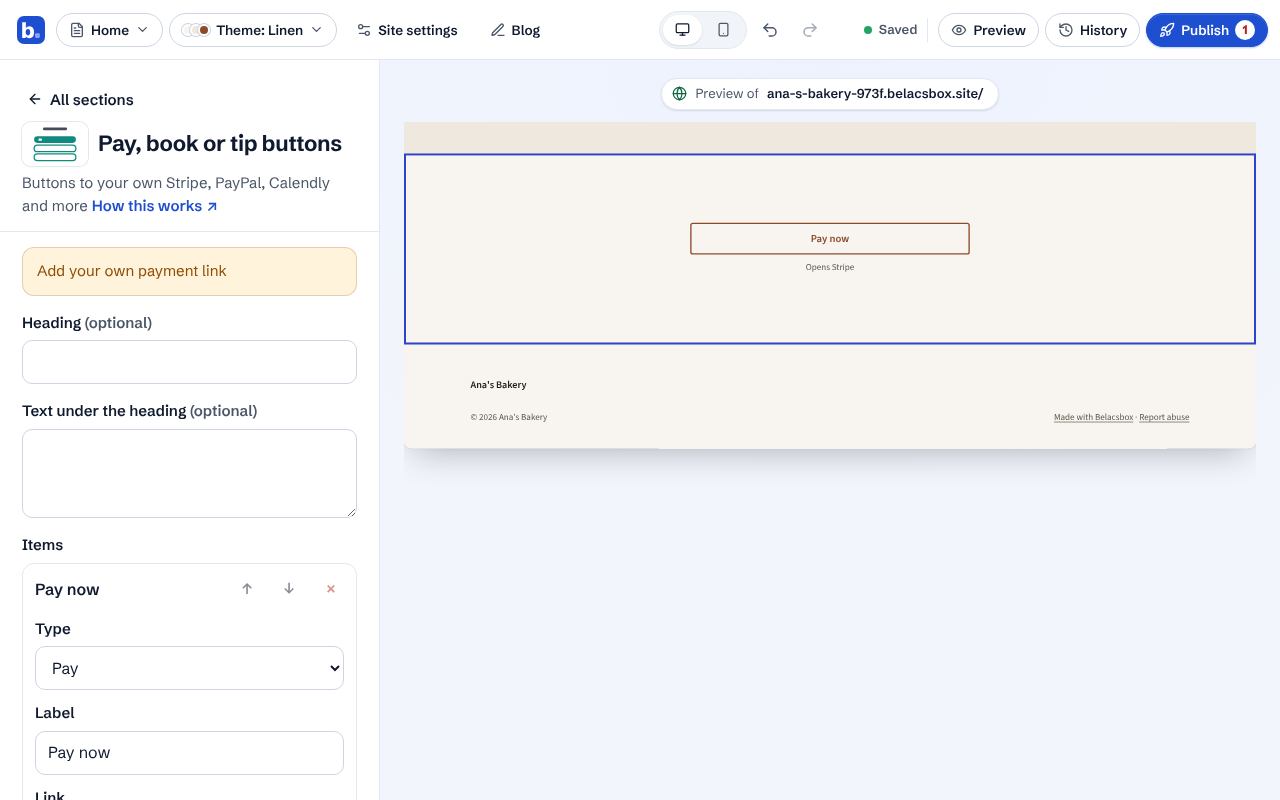
Until you paste your own link, the section shows a reminder, and Publish lists it, so a sample link isn't published by mistake.
Good to know
- Card details are only ever typed on your payment provider's own page. Your Belacsbox site never asks for them.