Add Plausible or Google Analytics
See how many people visit, with the analytics tool you already use. Every plan includes it.
In the editor, click Site settings, then Visitor stats.
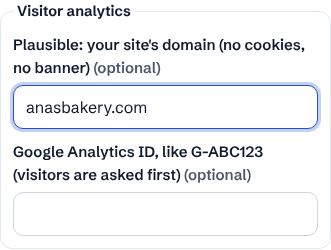
Plausible: add your site in your Plausible account, then type the same domain here (like anasbakery.com). Plausible uses no cookies, so visitors see no banner.
Google Analytics: in Google Analytics, open Admin, Data streams, your web stream, and copy the Measurement ID (it starts with G-). Paste it here.
With Google Analytics on, visitors see a small banner asking if cookies are OK. Nothing of Google's loads unless they click Accept, and a Cookie settings link in the footer lets them change their mind. Privacy laws (for example in Quebec, the EU and the UK) require asking first.
Analytics start counting once your site is published. Leave both boxes empty to use none.
- Using both is fine. Only the tools you add here run on your site; we add no tracking of our own to your visitors' browsers.