Undo a change or go back to an earlier version
Undo steps back through your last changes. History keeps whole earlier versions of your site.
For a recent change, click Undo (the arrow curving left) at the top. Redo (the arrow curving right) puts it back.
For an older version, click History. Versions are listed by day.
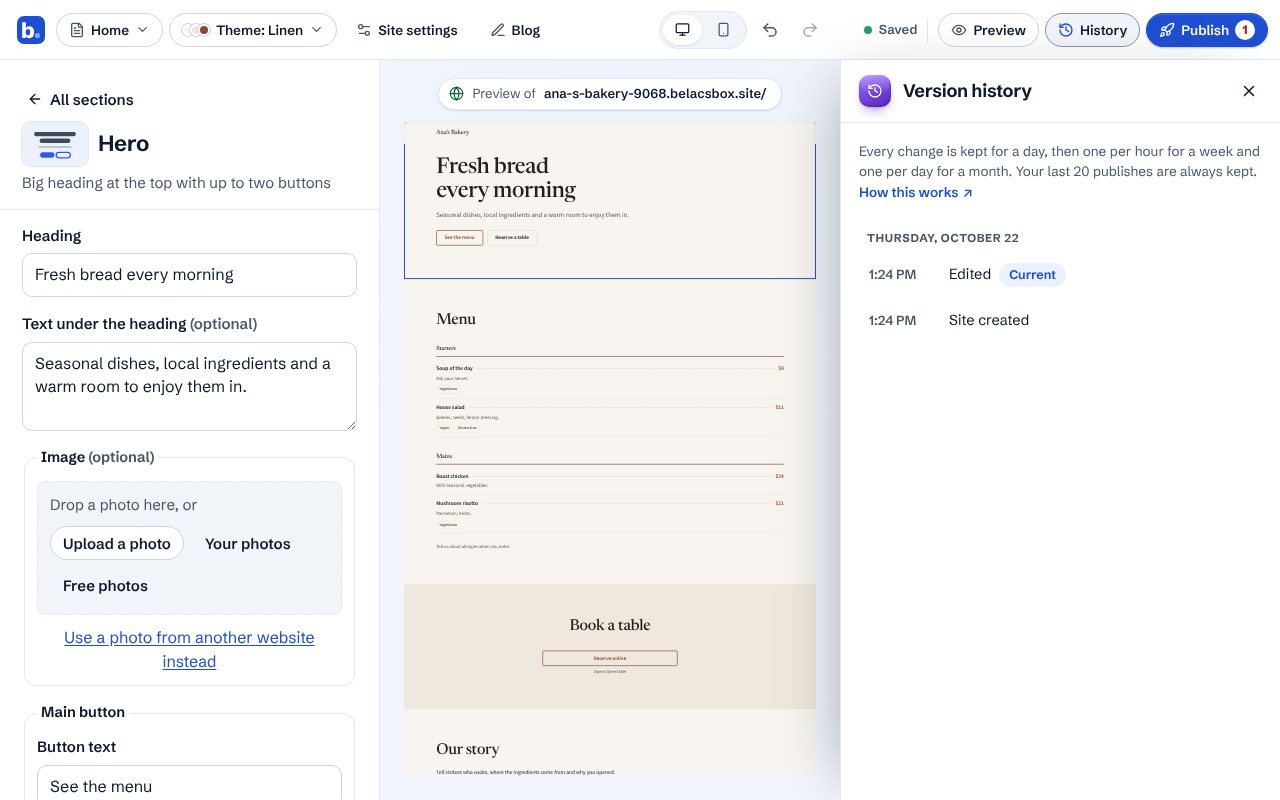
Click a version to look at it. Nothing changes yet.
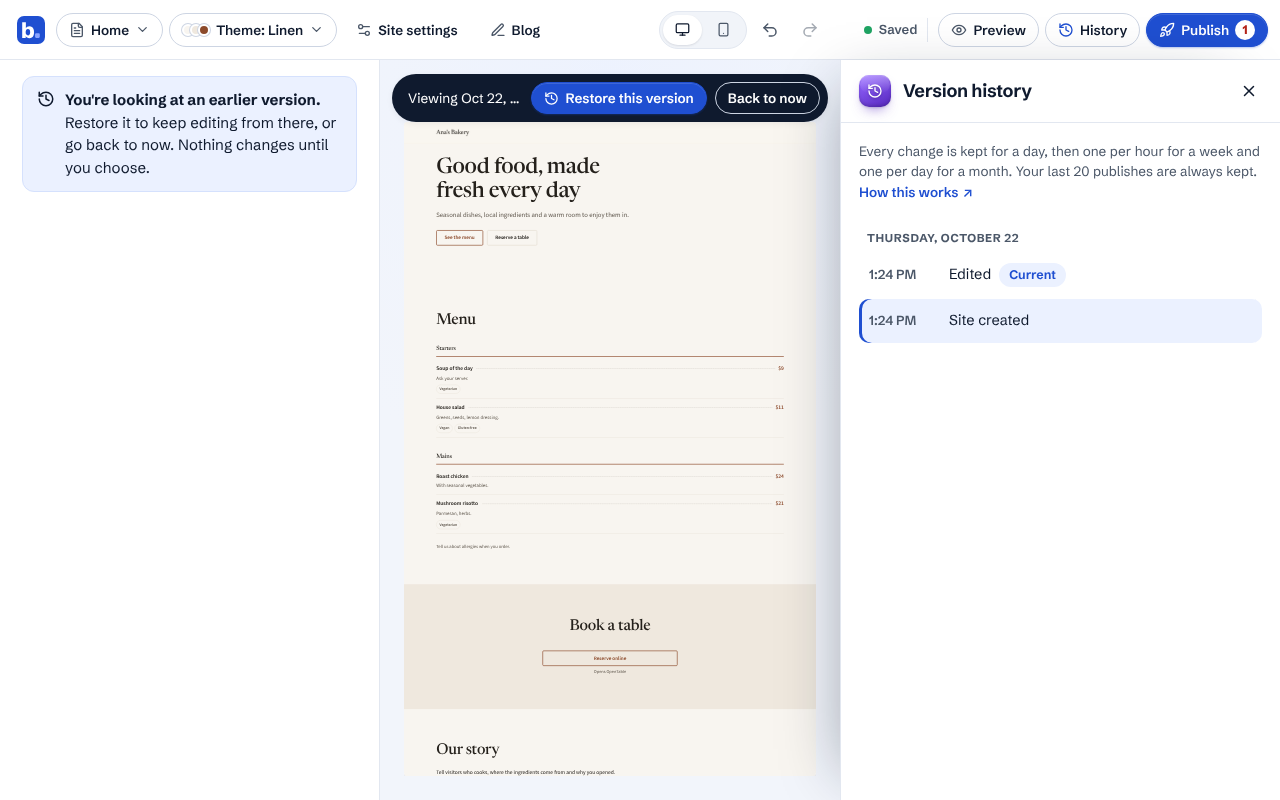
Click Restore this version to keep editing from there, or Back to now to leave it. Restoring never loses work: the version you replaced is kept in History too.
Good to know
- Every change is kept for a day, then one per hour for a week and one per day for a month. Your last 20 publishes are always kept.